
OVERVIEW
Memoryscapes is an online archive of private cinema: amateur home movies, shot during the twentieth century, made available to the public through a website.
The problem it solves is typical of audiovisual archives: a heritage of heterogeneous materials, often poorly documented, which without a search and storytelling tool remains virtually inaccessible to those who do not already know it.
The system allows an editorial group to catalog the films, enrich them with information (who shot them, where, when, what they are about) and organize them into thematic and geographical pathways; it allows the public to search through all materials, filter them by period, location, theme, and author, view them on a map, and watch them directly in the browser. The site is available in Italian and English.
The system is in operation on the project's public domain, featuring search and filters, map view, time selector, thematic and territorial pathways, archive stories, events, a customizable homepage, and complete editorial management.
01
02
A select group of people with access credentials, working on an administration panel separate from the public site. They can catalog videos one by one or upload them in bulk from a spreadsheet, build thematic and territorial paths, write editorial content, and decide the layout of the homepage without needing technical intervention.
03
A subset of the editorial staff who can also create and deactivate accounts for other editors.
For free-text search, with auto-suggestions as you type, and combinable filters by theme, author, location, film format, and historical period. Next to each filter, the number of films that would be obtained by applying it is displayed.
A chart of the distribution of footage by year, with two handles to drag to narrow the time period.
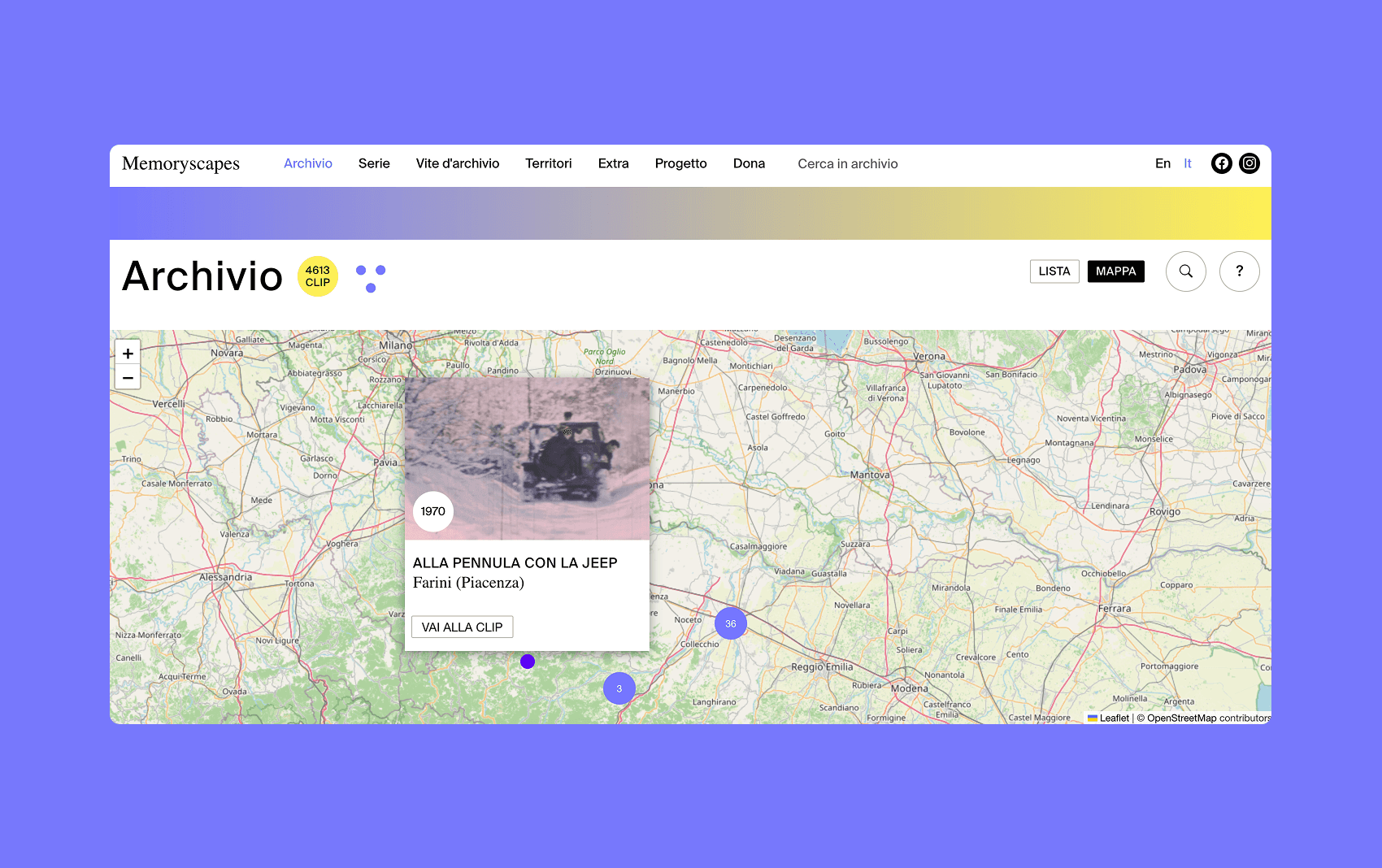
The geolocated videos appear as points grouped by area, with a preview and a link to the profile.

With in-browser playback, catalog information, and automatic links to other related videos — by theme, author, year, location, or associated path.
Thematic collections ("series") and geographical collections ("territories"), curated by the editorial staff and filterable within.
Block-based editorial content that alternates text, images, and groups of videos to guide the reader through a narrative.

With the possibility of preparing a draft content before publishing it.
The editorial team chooses the opening images, the highlighted path, and the video blocks, defining them by criteria (for example, "all videos by a certain author from the 1950s") rather than listing them one by one. The block updates automatically when new materials matching that criteria are added.
Bulk upload from spreadsheet, with a summary of what was imported and what was discarded and why; automatic retrieval of previews and technical video information; tools to merge duplicate entries, such as authors written in different ways, repeated themes, inconsistent formats, and city names.
COMPOSITION
The system is divided into three parts that communicate with each other. In the center is a data archive with its own search engine: it stores the videos and all related information, and provides two access channels, one public read-only and one restricted to the editorial staff with credentials.
The website relies on that public channel, which is built on a server before reaching the browser: this allows the pages to be readable by search engines and to load quickly even on slow connections.
The administration panel, a separate application accessible at a different address, relies on the restricted channel.
The videos are not stored by the system but on Vimeo, an external specialized platform: the archive keeps the reference and automatically retrieves previews and technical information.
Slow operations — typically retrieving data for hundreds of videos after a bulk upload — do not block users who are working: they are queued and performed in the background.
STACK
Data archiving and research

Django, the Python web framework, with a PostgreSQL database extended with PostGIS — the geographic extension that allows querying data by location and powering maps.
Public website
React, the most popular interface library, in a configuration that builds pages on the server before sending them to the browser.
Administration panel
It is also React, as a separate application that runs entirely in the browser.
Maps

Leaflet with OpenStreetMap cartography, free to use.
Video

Hosted on Vimeo and retrieved from the archive.
Files and images
Stored on a cloud storage space (DigitalOcean Spaces).
Commissioning
The entire system runs in Docker containers on a single server, with security certificates automatically renewed; each tagged release automatically generates new versions of the three components.

